NOTE
Mr. Gordon generated most of this documentation using the OpenAI ChatGPT large language model. He edited the results for clarity and to add some additional context.
Schema
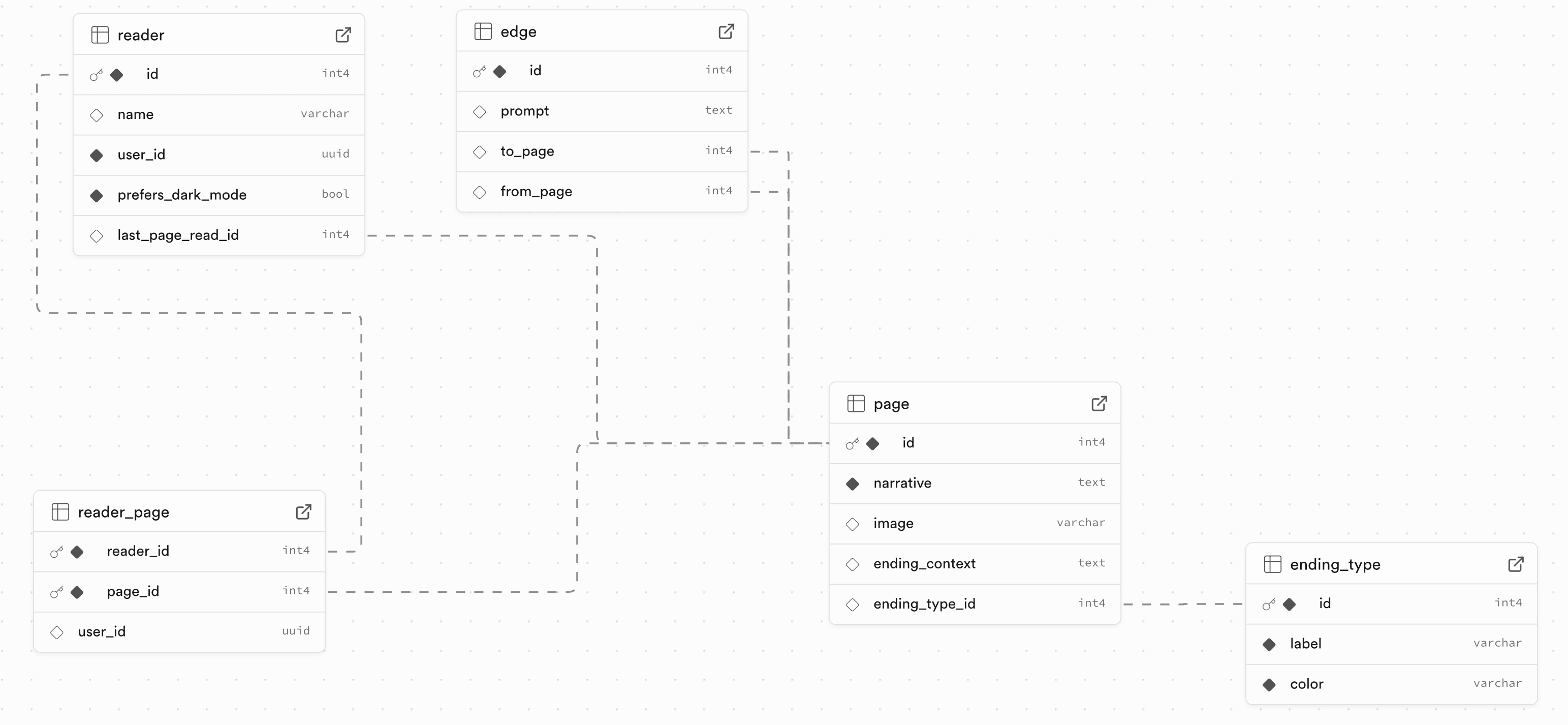
Here is an overall look at the schema of this database:
Details
In a “Choose Your Own Adventure” experience, the narrative consists of pages (nodes) connected by choices (edges), forming a directed graph. Each page contains text (and optionally an image), and each edge represents a decision that moves the reader from one page to another.
🔗 Core Tables
1. page
page — the nodes of the graph
Each record represents a single page in the adventure.
| Column | Description |
|---|---|
id | Primary key. Unique identifier for the page. |
narrative | The story text on the page. |
image | Optional image associated with the page. |
ending_context | Text shown only if the page is a final outcome. |
ending_type_id | Optional reference to ending_type (e.g., “happy”, “bad”, etc.). |
➡️ This table defines all the points in the story that a user can visit.
2. edge
edge — the directed links (choices) between pages
Each edge represents a choice that the reader can make to go from one page to another.
| Column | Description |
|---|---|
id | Primary key. |
prompt | The text the user sees for the choice (e.g., “Open the door”). |
from_page | Foreign key to page(id) – the page the choice starts from. |
to_page | Foreign key to page(id) – the page it leads to. |
➡️ This table defines the edges of the graph, forming directed links between pages.
3. ending_type
ending_type — categorizes ending pages
| Column | Description |
|---|---|
id | Primary key. |
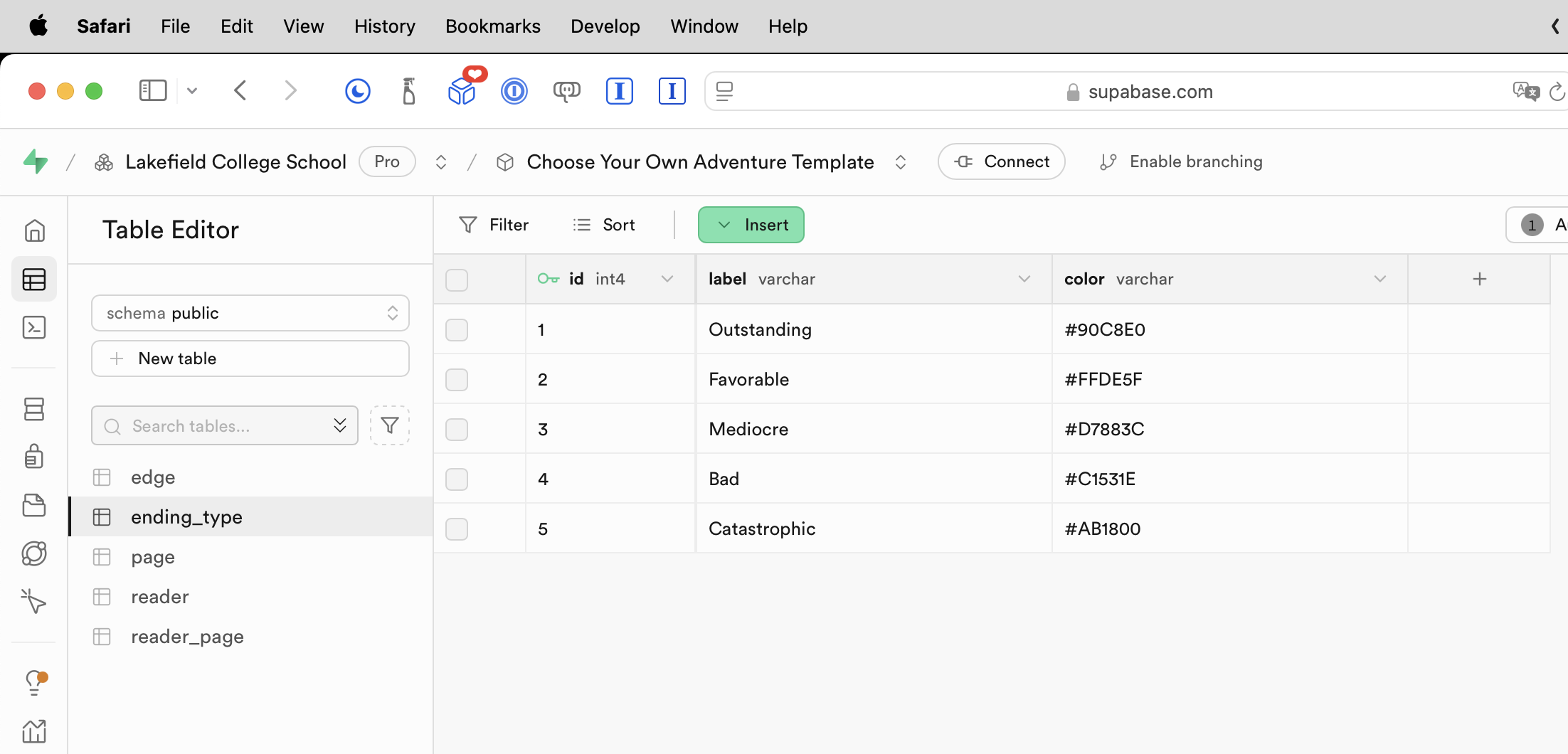
label | Name of the ending type (e.g., “Outstanding”, “Favourable”). |
color | Associated color for UI display (e.g., red for “bad ending”). |
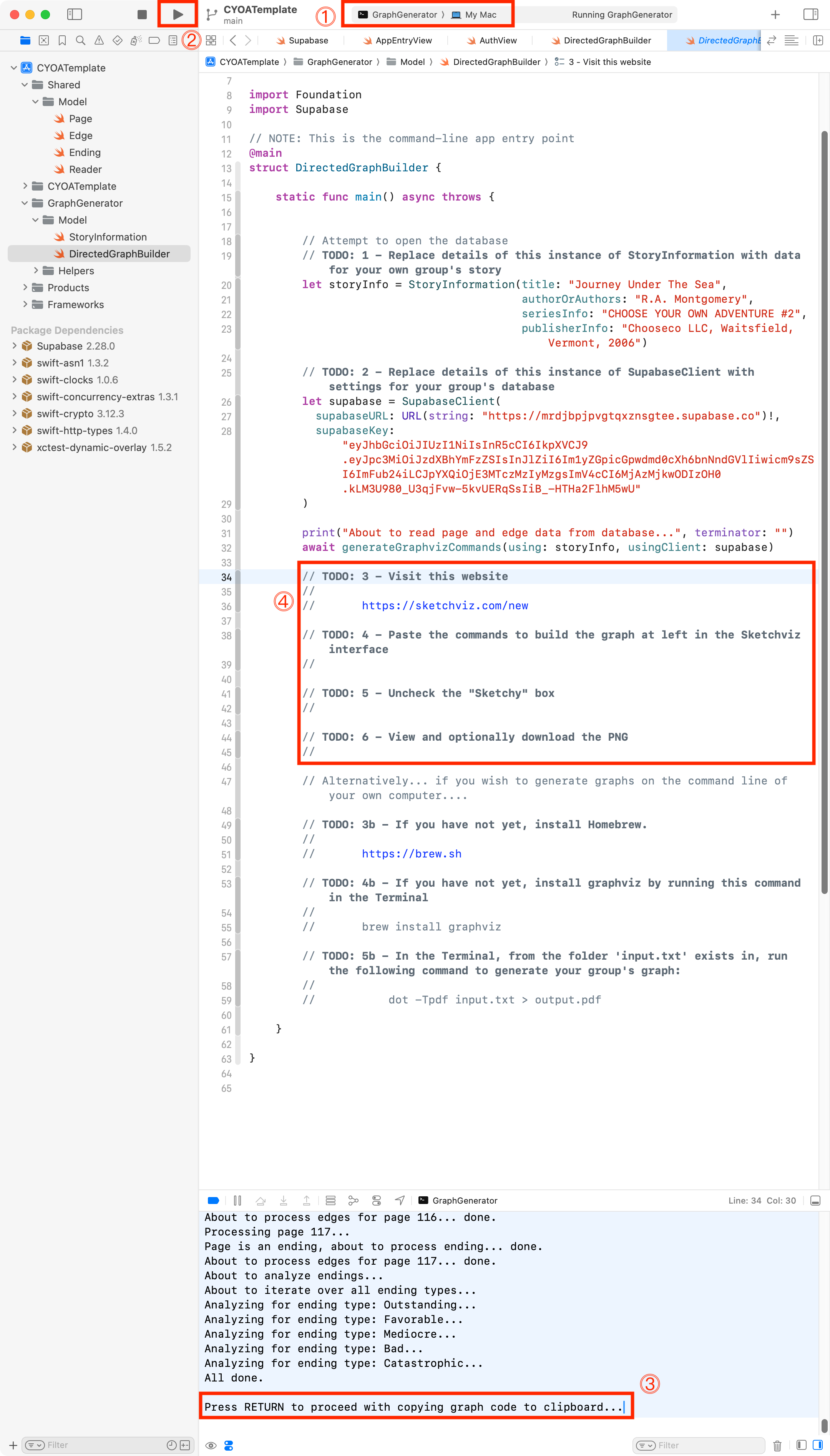
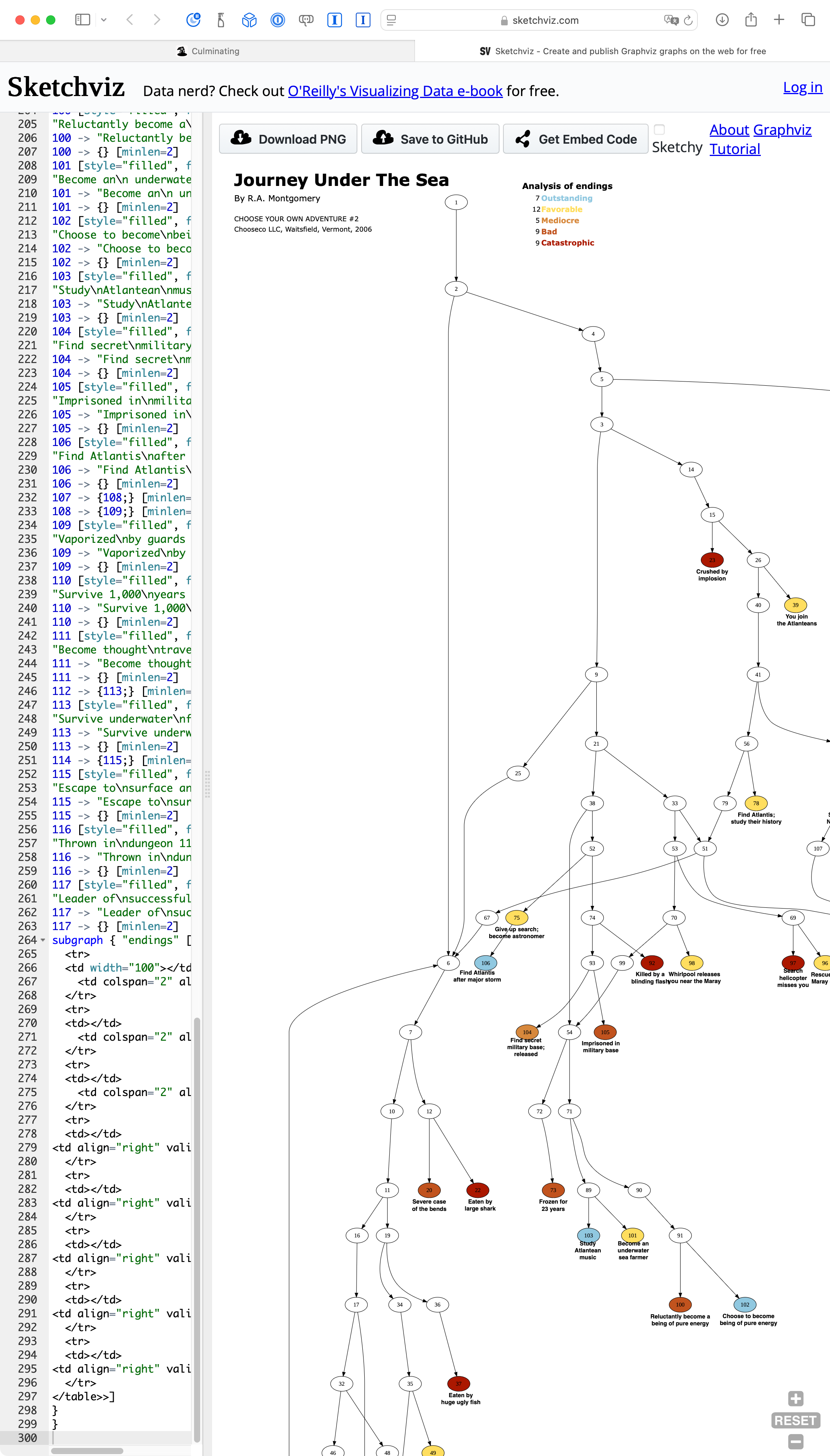
Used to annotate the directed graph that you can generate to check whether you have populated the database correctly – that is – to see whether the directed graph you have programmed into the database matches your plan made on paper:
Available values are:
Once your team has followed the steps above, you will obtain a directed graph with categorized endings as follows:
🧍♂️ Reader Tracking Tables
These tables allow the app to track and personalize a user’s journey through the story.
4. reader
reader — represents a user of the app
Each record stores information about a reader and their last page visited.
| Column | Description |
|---|---|
id | Primary key. |
name | Optional display name. |
user_id | Tied to Supabase authentication. |
prefers_dark_mode | UI setting. |
last_page_read_id | Foreign key to page(id) — useful for “continue reading”. |
➡️ Each reader can resume from their last visited page.
5. reader_page
reader_page — records the pages visited by each reader
This table tracks the unique path each reader has taken.
| Column | Description |
|---|---|
reader_id | Foreign key to reader(id). |
page_id | Foreign key to page(id). |
user_id | For enforcing security (matches auth.uid()). |
➡️ Enables per-user navigation history, achievements, or visualizing a path.
🔐 Row-Level Security and Access Control
Policies and row-level security ensure:
-
All users can read the story structure (
page,edge,ending_type). -
Only authenticated users can see and write their own
readerandreader_pagerecords, usingauth.uid()for filtering.
✅ Summary: A Directed Graph Implementation
| Graph Concept | Represented By |
|---|---|
| Node | page |
| Directed Edge | edge (from_page → to_page) |
| Terminal Node (Ending) | page + ending_type |
| Visitor | reader |
| Traversal Path | reader_page |
This schema allows students to extend the app by layering features like bookmarks, alternate endings, visual graphs, user stats, or even branching story creation tools — all thanks to this solid directed graph foundation.