When writing a test plan, the number of test cases required to verify a correct solution will vary based on the problem specification.
As a starting point, however, we can write a test plan that addresses three categories:
- typical cases
- boundary conditions
- invalid inputs
Typical cases
In a problem specification, there are generally a couple of examples provided.
For the RSA Numbers puzzle, the two examples given were:
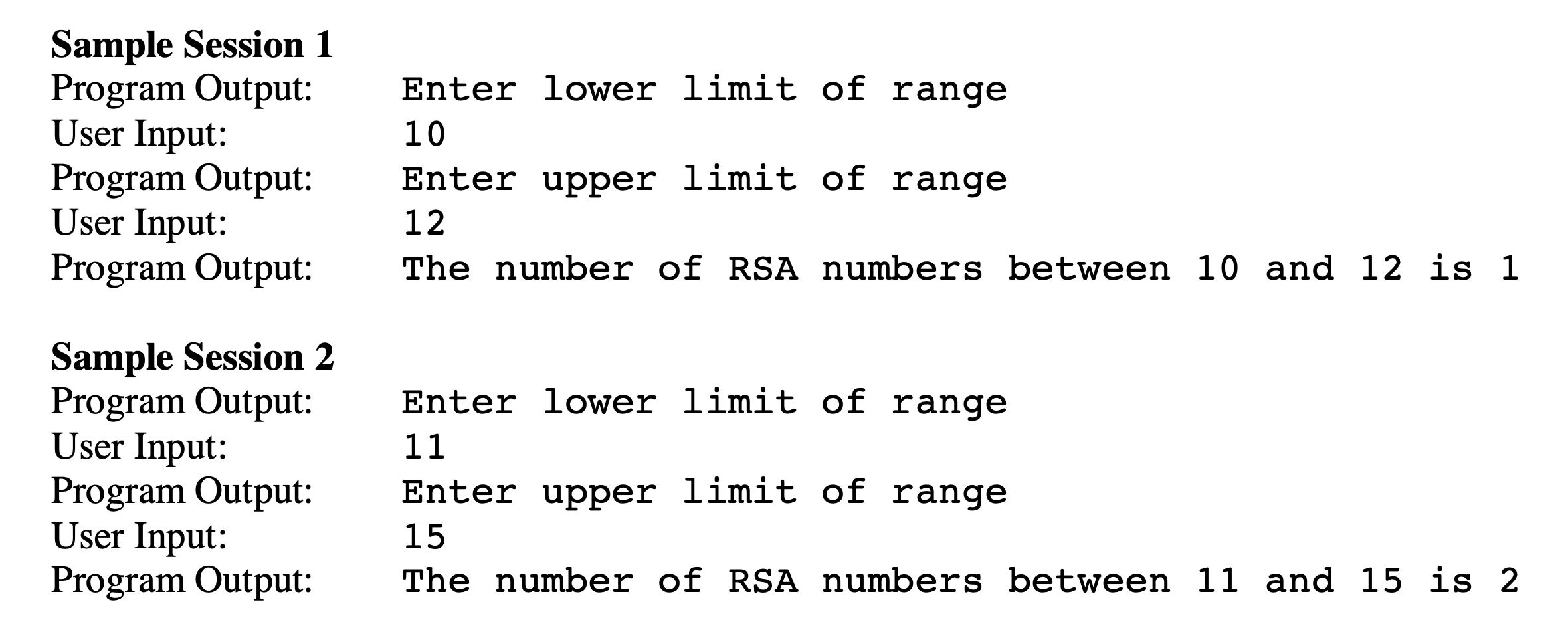
These could then form our first two test cases:
| Test case | First input | Second input | Expected output |
|---|---|---|---|
| 1 | 10 | 12 | The number of RSA numbers between 10 and 12 is 1 |
| 2 | 11 | 15 | The number of RSA numbers between 11 and 15 is 2 |
Boundary conditions
The specification for the RSA Numbers puzzle states that we may assume numbers in the range are less than 1000.
That means the maximum accepted value should be 999.
It is implied, but not explicitly stated, that we are checking a positive range of numbers. Therefore, let’s assume the minimum accepted value for the range of numbers to check is 1.
Formally, then, if is the lower limit of range of numbers to check, then .
It follows then that if is the upper limit of numbers to check, that .
We test boundary conditions by providing input that is on the edge of acceptable values.
For example, we might write tests such as the following:
| Test case | First input | Second input | Expected output |
|---|---|---|---|
| 3 | 0 | 5 | Please provide a lower limit greater than 0. |
| 4 | 1 | 1000 | Please provide an upper limit less than 1000. |
| 5 | -500 | 2000 | Please provide a lower limit greater than 0. |
| 6 | 1 | 2000 | Please provide an upper limit less than 1000. |
| 7 | 100 | 50 | Please provide an upper limit greater than the lower limit you provided. |
In this way, we are testing values on the threshold of what is acceptable (tests 3 and 4) and values that are far outside what is acceptable (tests 5 and 6).
Test 7 is a case where the upper limit, , was provided as 50, which is less than the lower limit given, , of 100. This doesn’t make any sense, so we show an appropriate error message. The values provided are within the range of acceptable values but in relation to one another, are invalid.
Invalid inputs
It is helpful to ensure that our programs will fail gracefully when users provide invalid input.
For example, when we expect numeric input, but the user provides input that is text, we should show an appropriate error message.
Tests for invalid input might look something like this:
| Test case | First input | Second input | Expected output |
|---|---|---|---|
| 8 | ten | twelve | Please provide an integer between 1 and 999 for the lower limit. |
| 9 | 10 | twelve | Please provide an integer between 10 and 999 for the upper limit. |
| 10 | bananas | 12 | Please provide an integer between 1 and 999 for the lower limit. |